In the Settings section, you can manage your contact information, choose the email sender for notifications, and control how often you receive performance and activity reports.
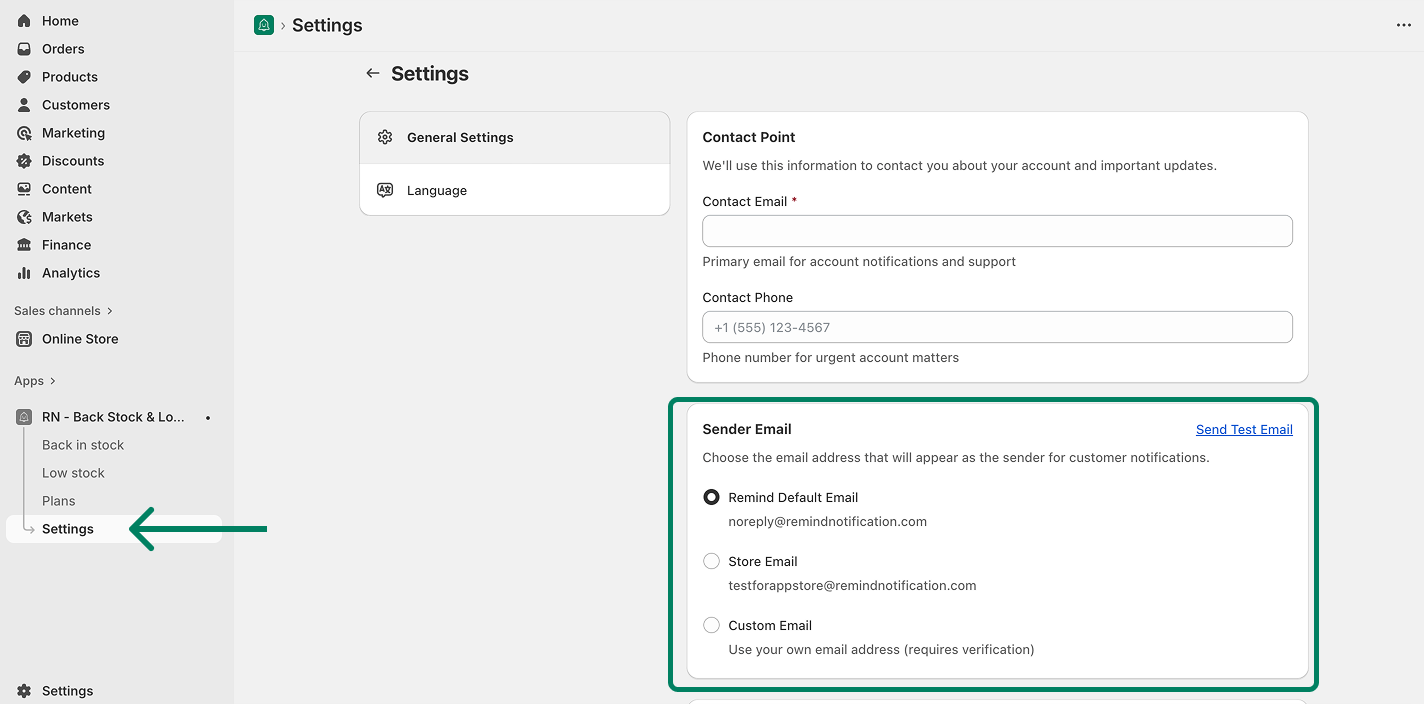
To access the General settings, navigate to Settings (from the app) → General Settings.
Contact Point
Add your contact details so we can reach you about your account and important updates.
Contact Email: Your primary email for account notifications and support.
Contact Phone: Optional. Used only for urgent account matters.
Sender Email
Choose which email address will appear as the sender for customer notifications.
You can select one of the following:
Remind Default Email
Uses: [email protected]
Store Email
Uses the store email connected to your account.
Custom Email
Use your own email address.
⚠️ Important: After adding your custom email, you will receive a verification email from Amazon Web Services (AWS).
Click the link inside that email to allow us to send emails on your behalf.
Once verified, your custom email becomes locked for security.
To change it later, contact our support team.
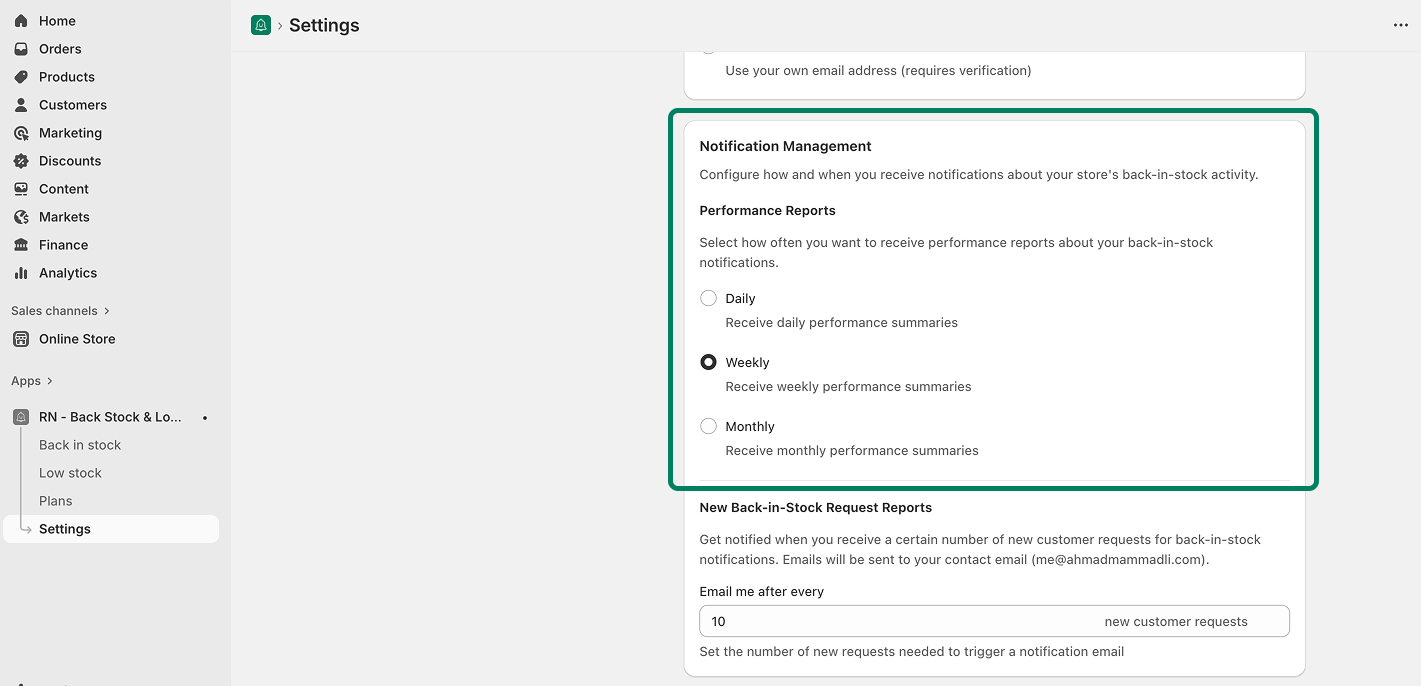
Notification Management
Performance Reports
Choose how often you want to receive back-in-stock performance summaries:
Daily
Weekly
Monthly
Reports are sent to your Contact Email.
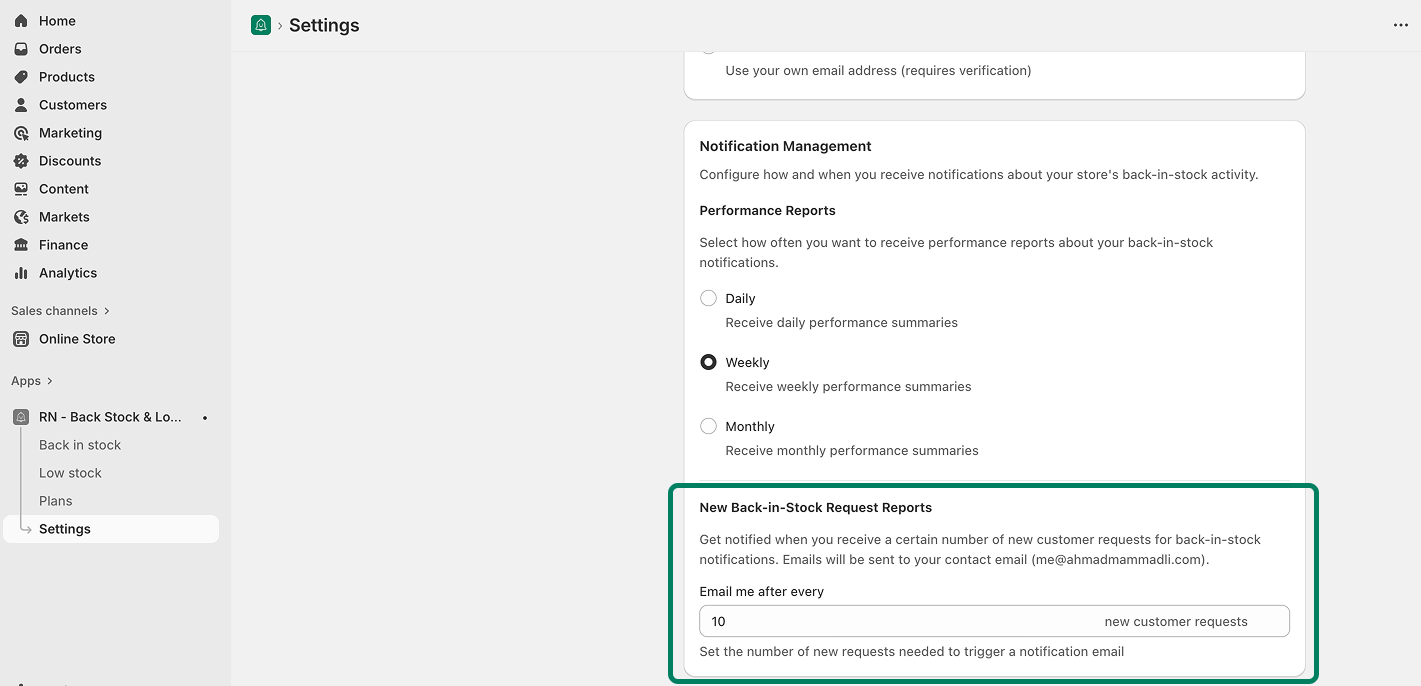
New Back-in-Stock Request Reports
Get notified when your store receives a specific number of new back-in-stock requests.
Set how many new requests should trigger an email
Notifications will be sent to your Contact Email
Example: If you set it to 10, you will receive an email every time 10 new requests are collected.