
What is Remind Notification app?
Remind Notification is a Shopify app that helps Shopify merchants to display low stock messages and add ‘notify me’ buttons on product pages when products are low in stock or out of stock.
This way, merchants can grab the contact information of interested shoppers and send back in stock and remind notifications automatically when they re-stock the inventory.
👉 On Shopify: RN ‑ Back in stock & Low stock
👉 Website: remindnotification.com
Features
Notify Me Buttons
Notify Me buttons appear on product pages when an item is out of stock.
You can fully customize the button design and choose where to show it: product pages, collection pages, or other pages in your Shopify store.
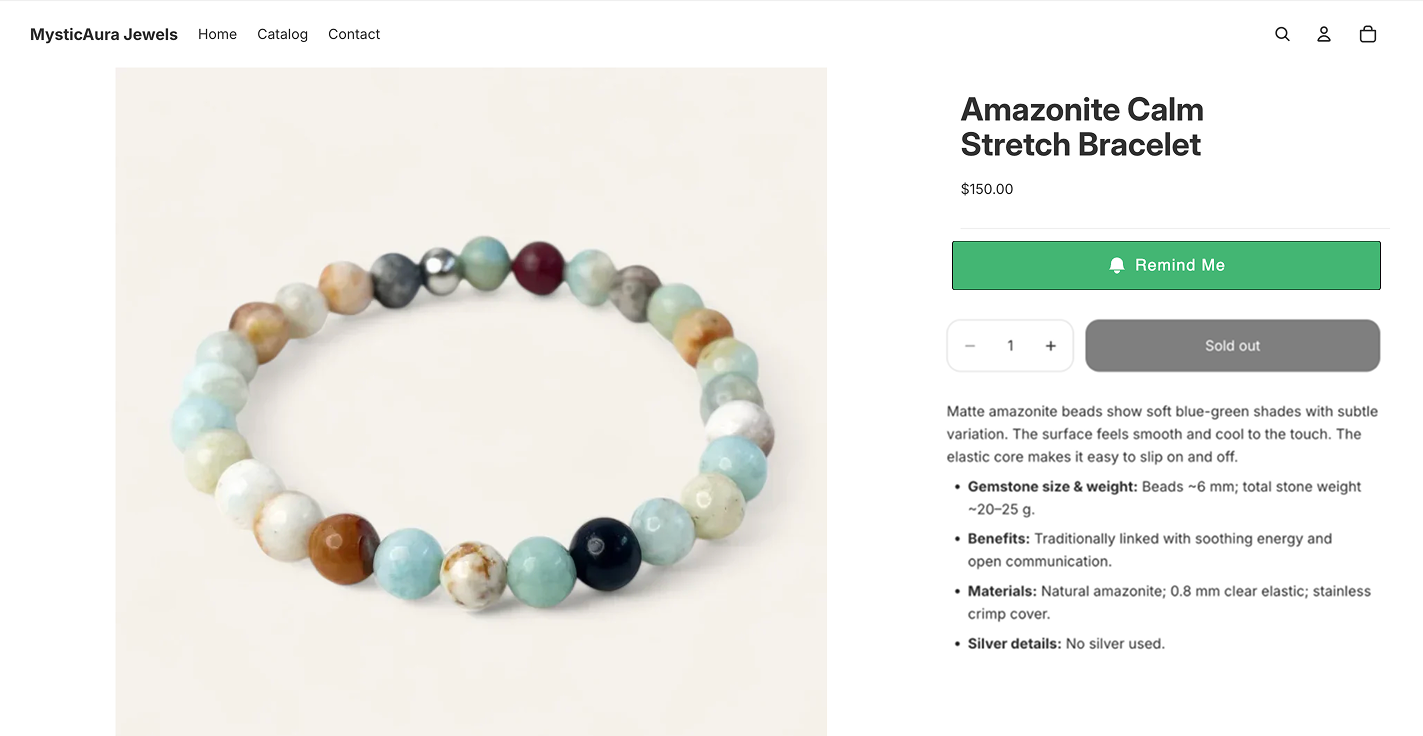
→ Learn more about Notify me widget
Back-in-Stock & Reminder Emails
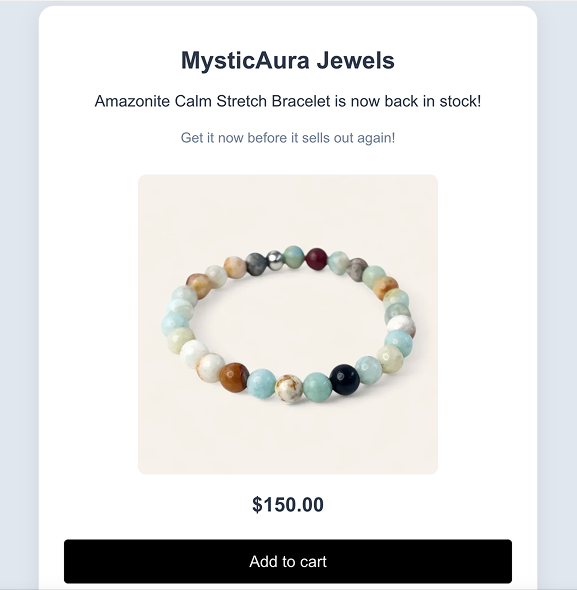
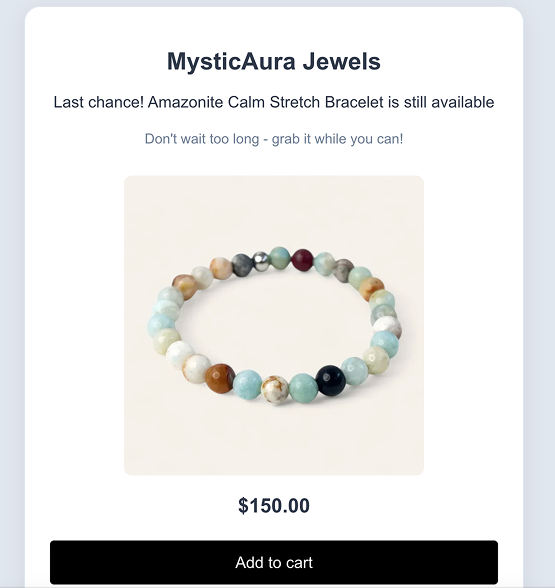
When a shopper clicks Notify me when available and subscribes, Remind Notifications sends automatic emails once you restock the item.
The app sends 5 emails in total:
1 back-in-stock email
4 reminder emails
You can customize both the design and the content of these emails.
Back in stock email:
Reminder emails:
Low-Stock Messages
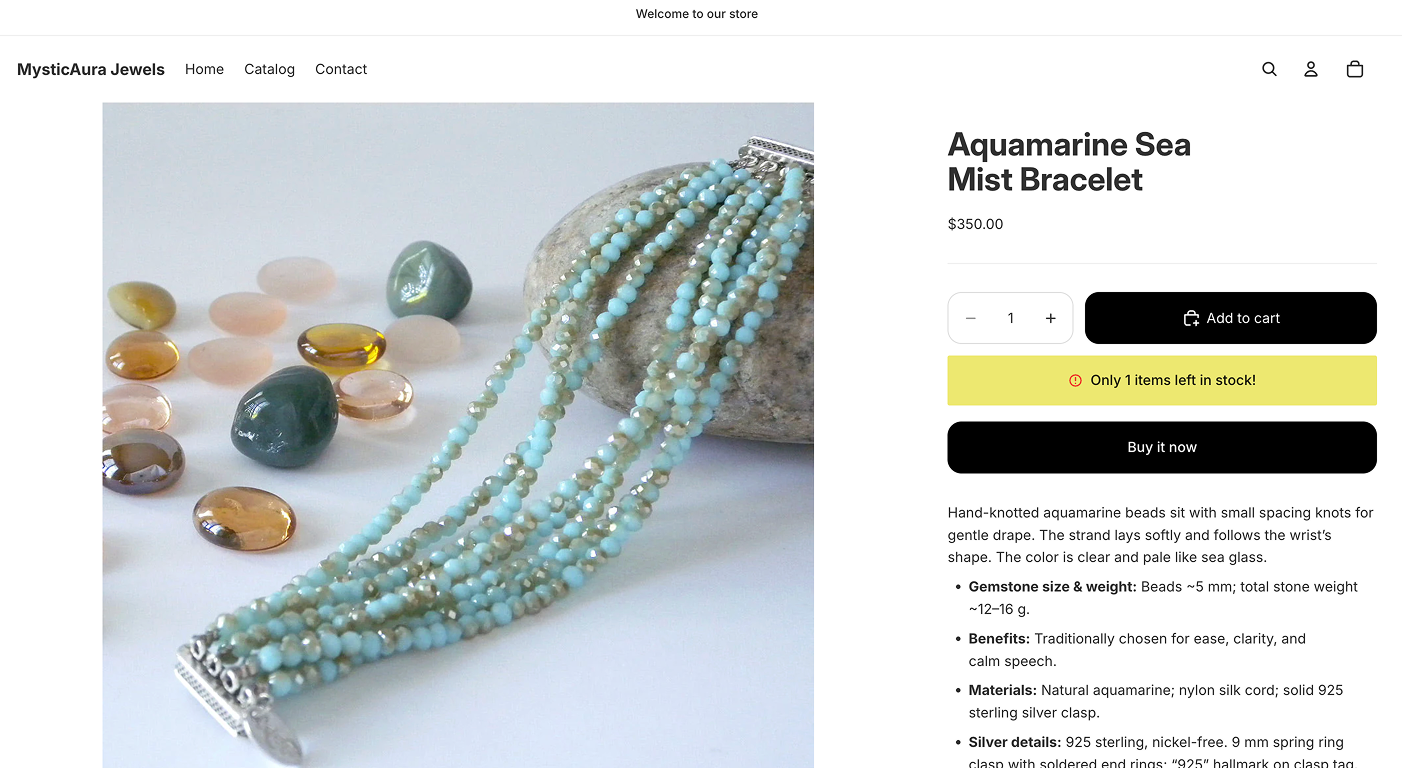
Low-stock messages appear on product pages when inventory is running low. They help create urgency and encourage shoppers to act before the item sells out.
You can set your own stock threshold and fully customize the message.
How to install the Remind Notification app to your Shopify store?
To install the Remind Notification app to your Shopify store, follow these steps:
Go to the Shopify App Store and search for RN - Back Stock & Low Stock (or click here).
Click "Install" to open your Shopify dashboard.
You’ll be taken to the RN - Back Stock & Low Stock dashboard, where you should complete the onboarding.
Done! 🥳
Onboarding
Once you enable the app in your theme, the Notify Me button becomes active and the onboarding flow begins. Follow these steps to test the setup:
View the widget: Click View widget in the app. You will be taken to a product page with an out-of-stock status so you can confirm the widget is visible.
Place a test subscription: Enter your email in the widget. You will receive a confirmation email saying you’re subscribed to product X.
Update product inventory: In Shopify Admin, add stock to that same product. The app will take you back to the exact product page where you viewed the Notify Me widget.
Receive the back-in-stock email: After the inventory is updated, you’ll receive the back-in-stock email.
Your test is now complete, and the Notify Me button is active on your store.
You can now customize the widget’s design and settings.
Contact Support
If you have any questions or need assistance please contact our support team.
📩 Contact Support: Reach out to us via live chat or send an email to [email protected]