
You can customize the sender email address used for your Back-in-Stock and Remind emails.
This allows you to control which email address your customers see when they receive notifications from your store.
How to Change the Sender Email
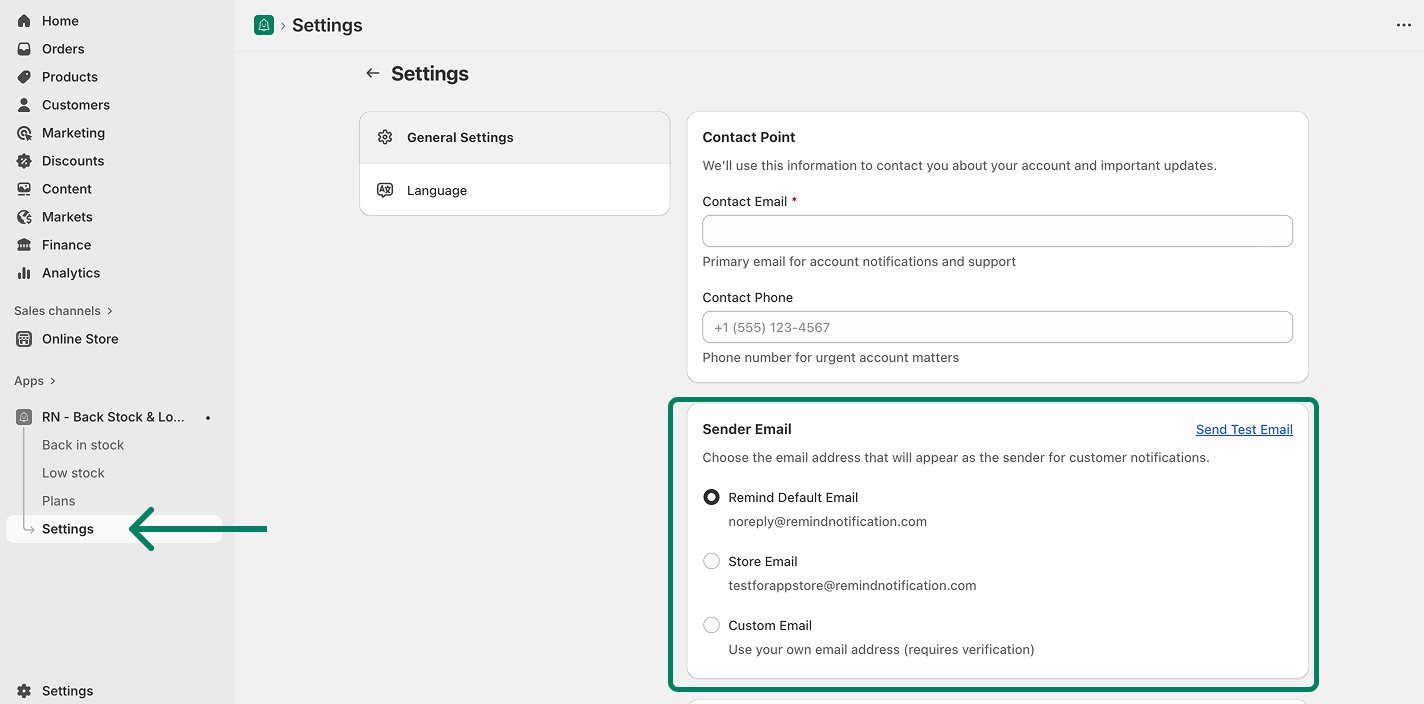
Open the RN - Back Stock & Low Stock app
Go to Settings.
Navigate to General Settings.
Locate the Sender Email section.
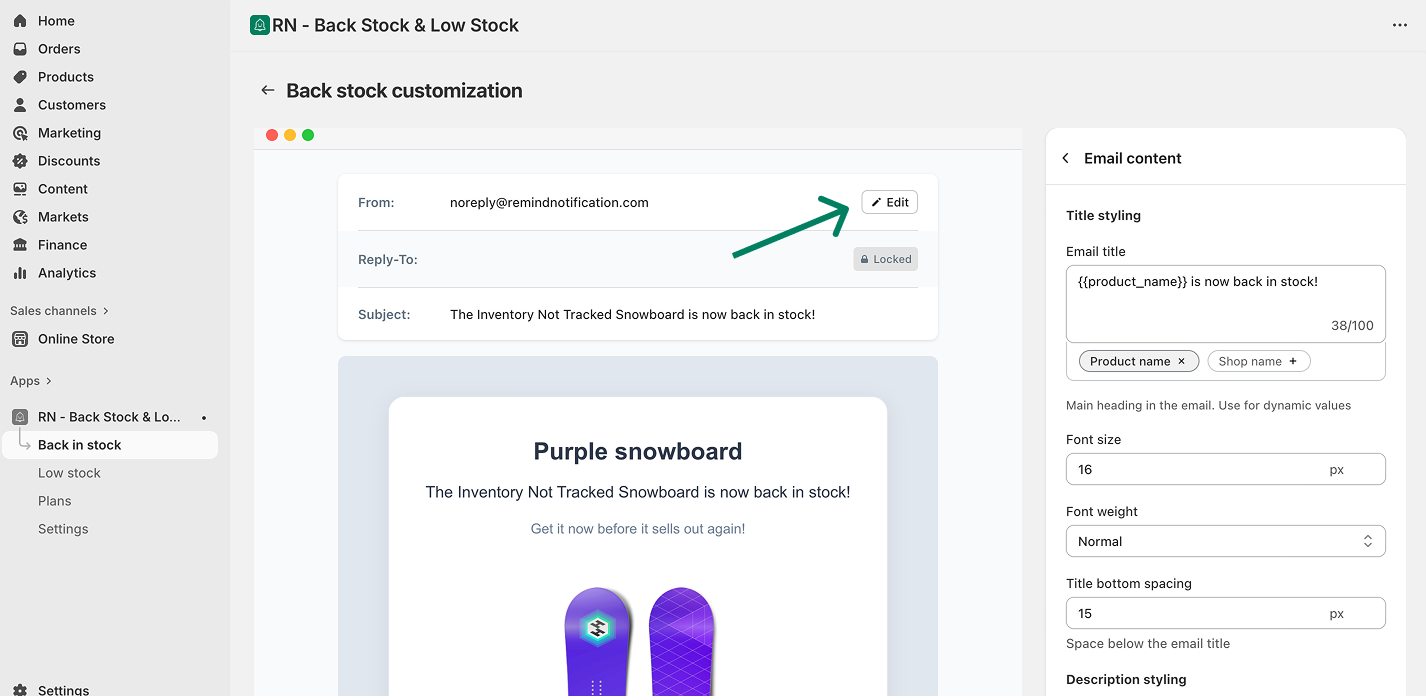
If you click on the edit button on the customization page, you'll be directed to this settings:
Available Sender Email Options
In the Sender Email section, you can choose one of the following options:
1. Remind Default Email
Email: [email protected]
Uses the app’s default sender email.
2. Store Email
Email: [email protected]
Uses the email associated with your store.
3. Custom Email
Use your own email address as the sender.
Note: Custom email addresses require verification before they can be used. After adding your custom email, you will receive a verification email from Amazon Web Services (AWS). Click the link inside that email to allow us to send emails on your behalf.
Once a custom email address has been set, it cannot be changed directly from the app settings.
To update your custom sender email you should contact our support team, and we will assist you with the change.
Sending a Test Email
You can send a test email from the settings page to make sure everything is configured correctly and that your emails are delivered as expected.