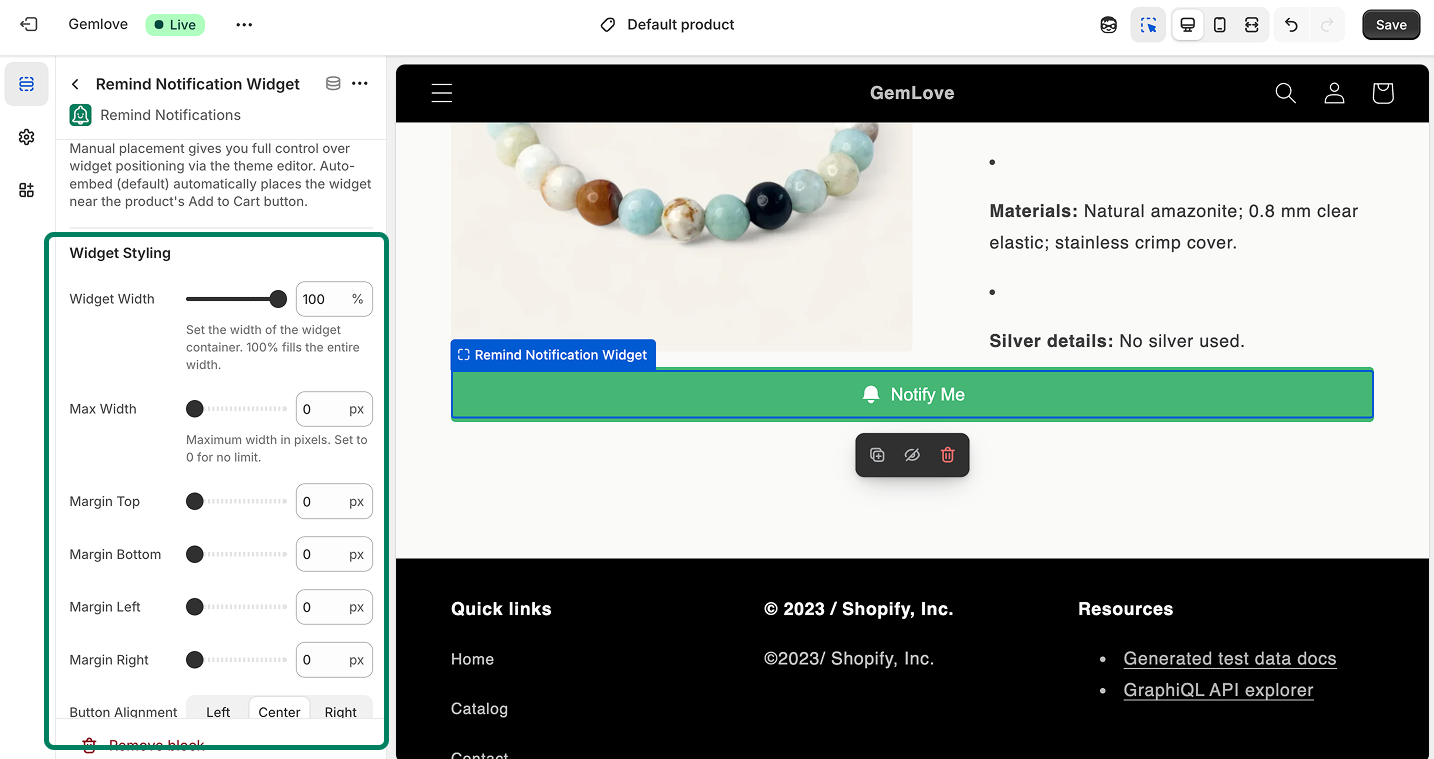
To place the Notify Me widget on various pages or sections of your Shopify store, follow these steps:
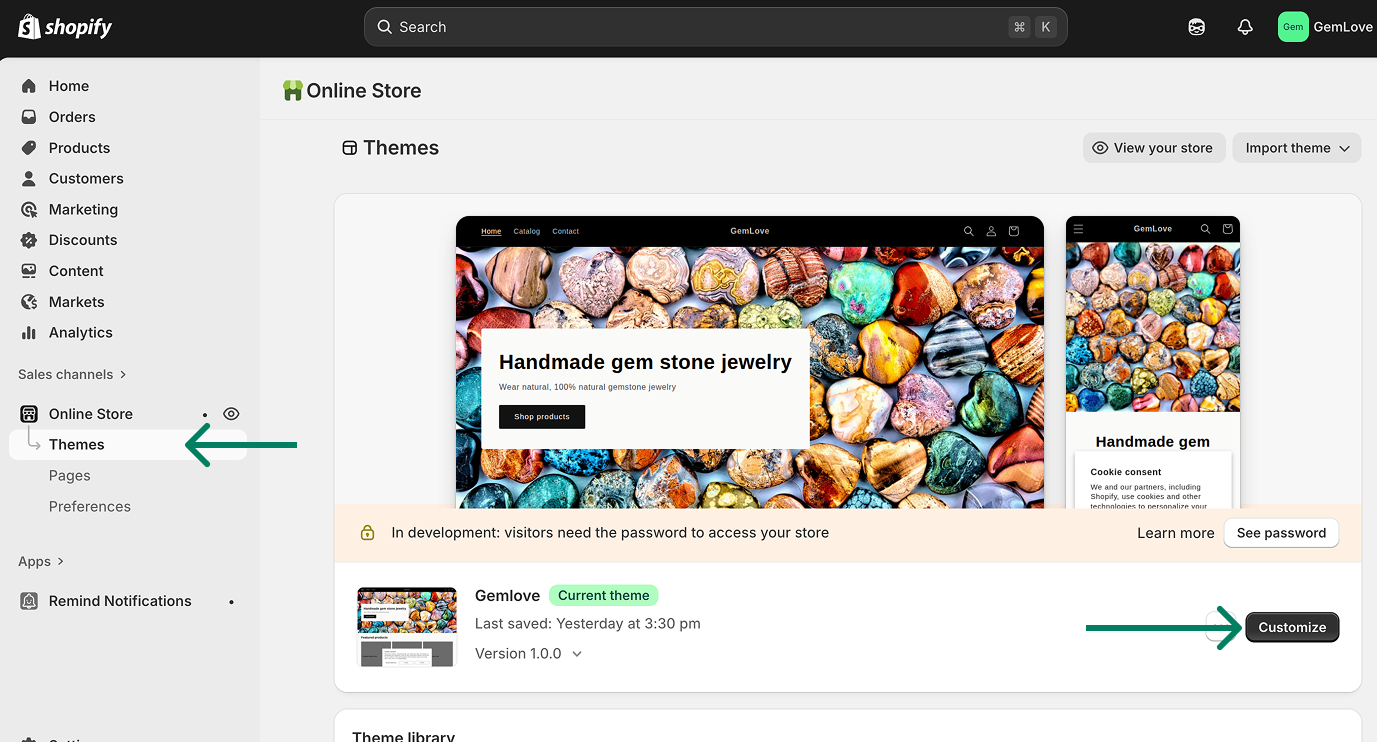
→ Go to Themes in your Shopify admin.
→ Click Customize to open the theme editor.
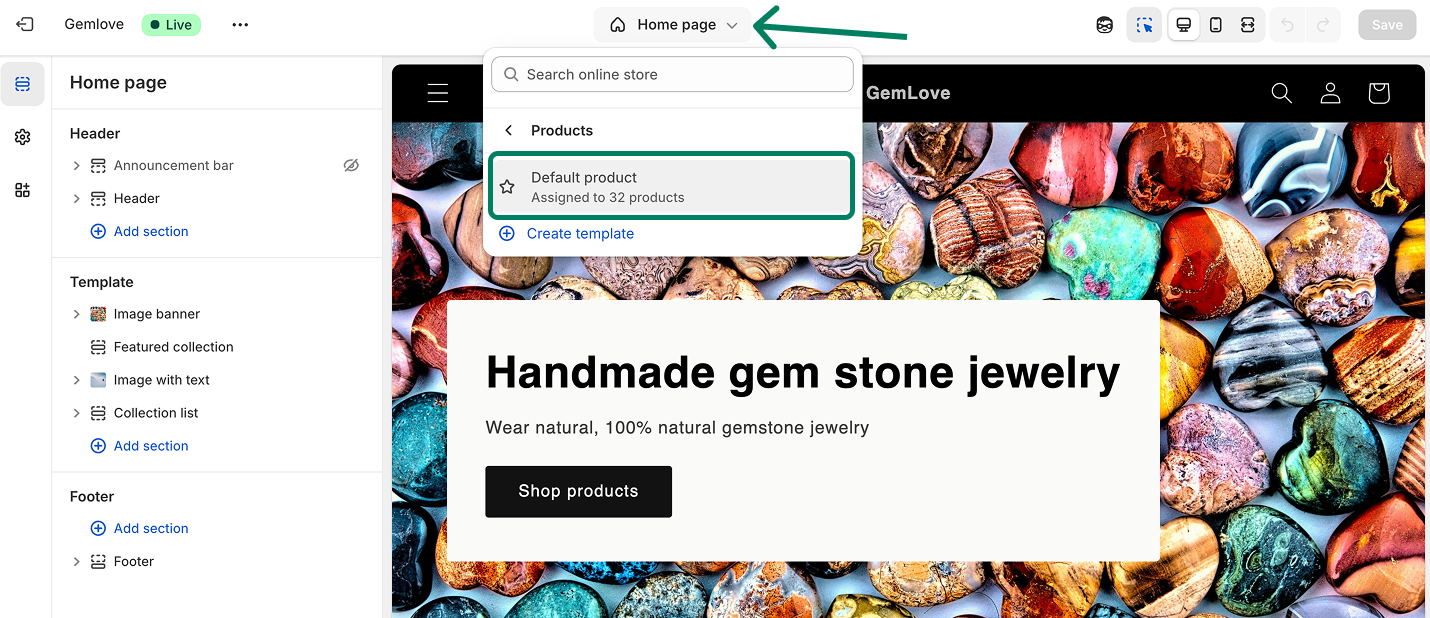
→ In the top navigation bar, select the page you wan to add the widget.
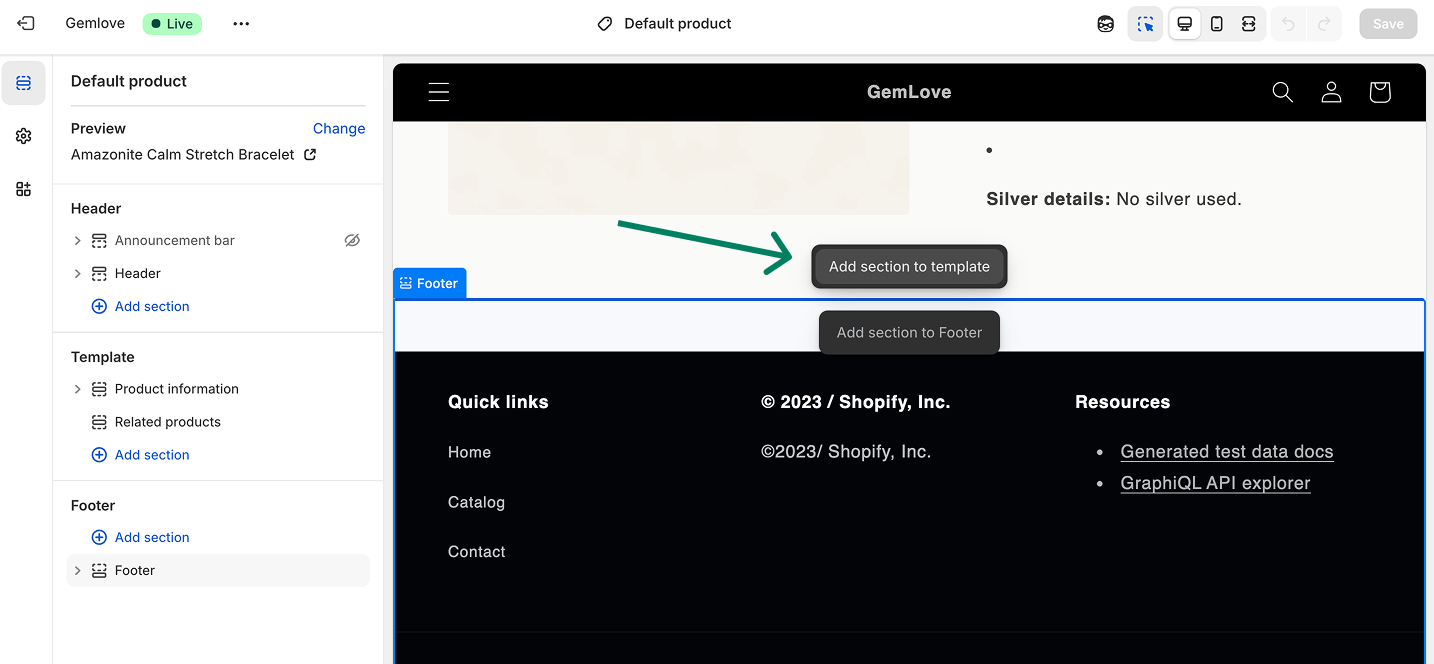
→ Choose the + icon on the section where you want to add the widget.
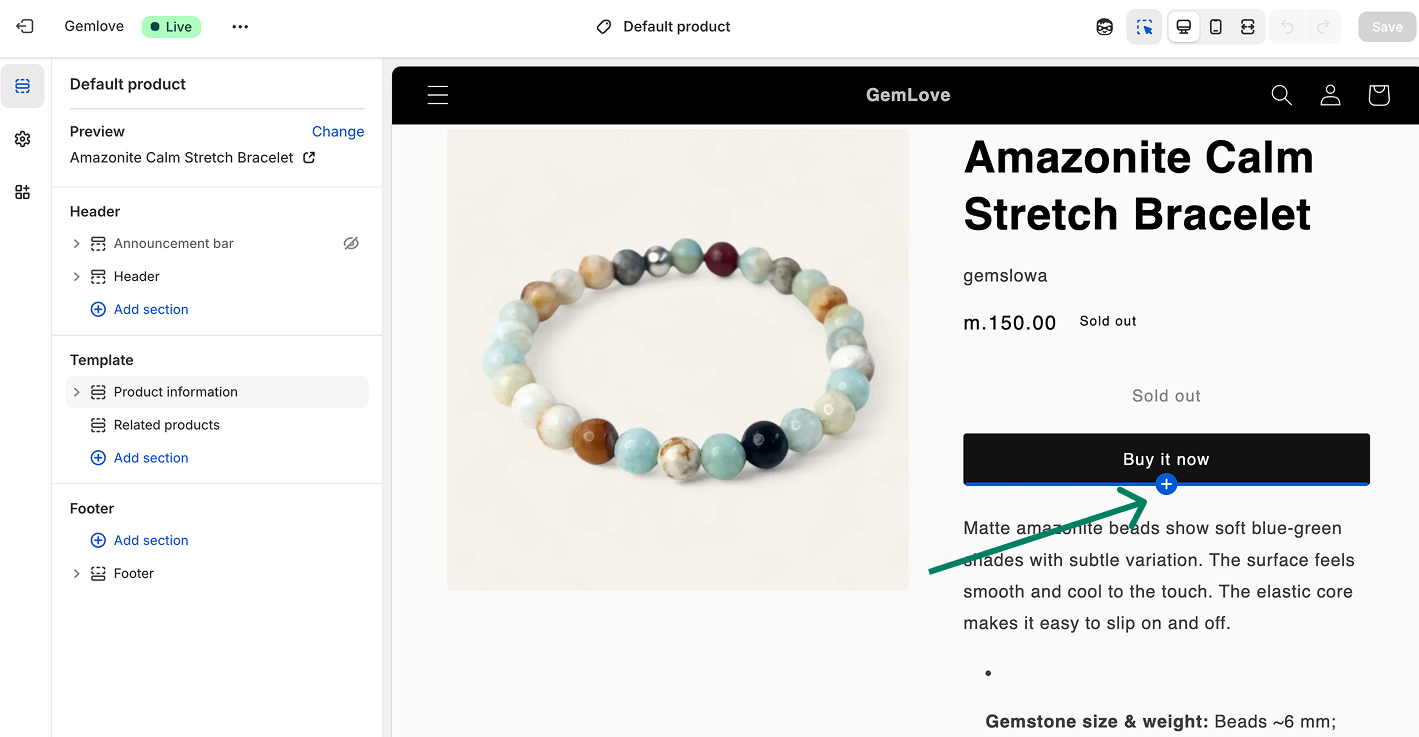
Or,
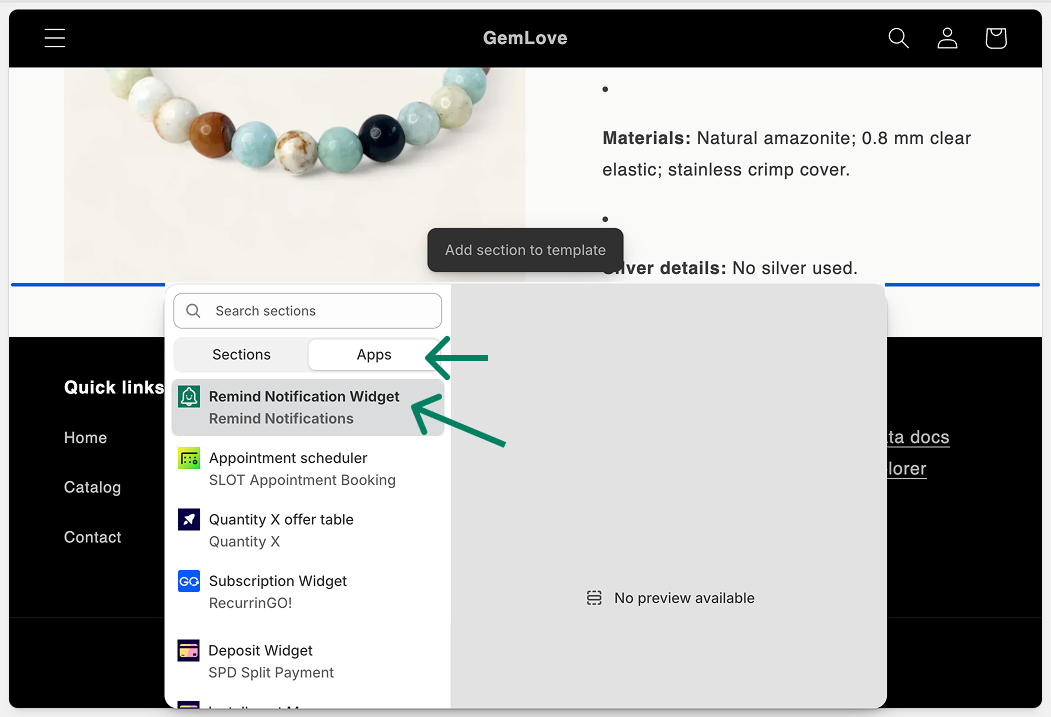
→ From the list of apps, select the RN - Back Stock & Low Stock app.
→ Click Save to apply the changes.
→ From the left-hand menu, you can adjust the width, style, and overall look of the button to match your store’s design.