May 21, 2026
📱 SMS Back in Stock alerts
Customers can now choose to be notified by SMS when an out-of-stock product is back — not just by email. Higher open rates, faster action.
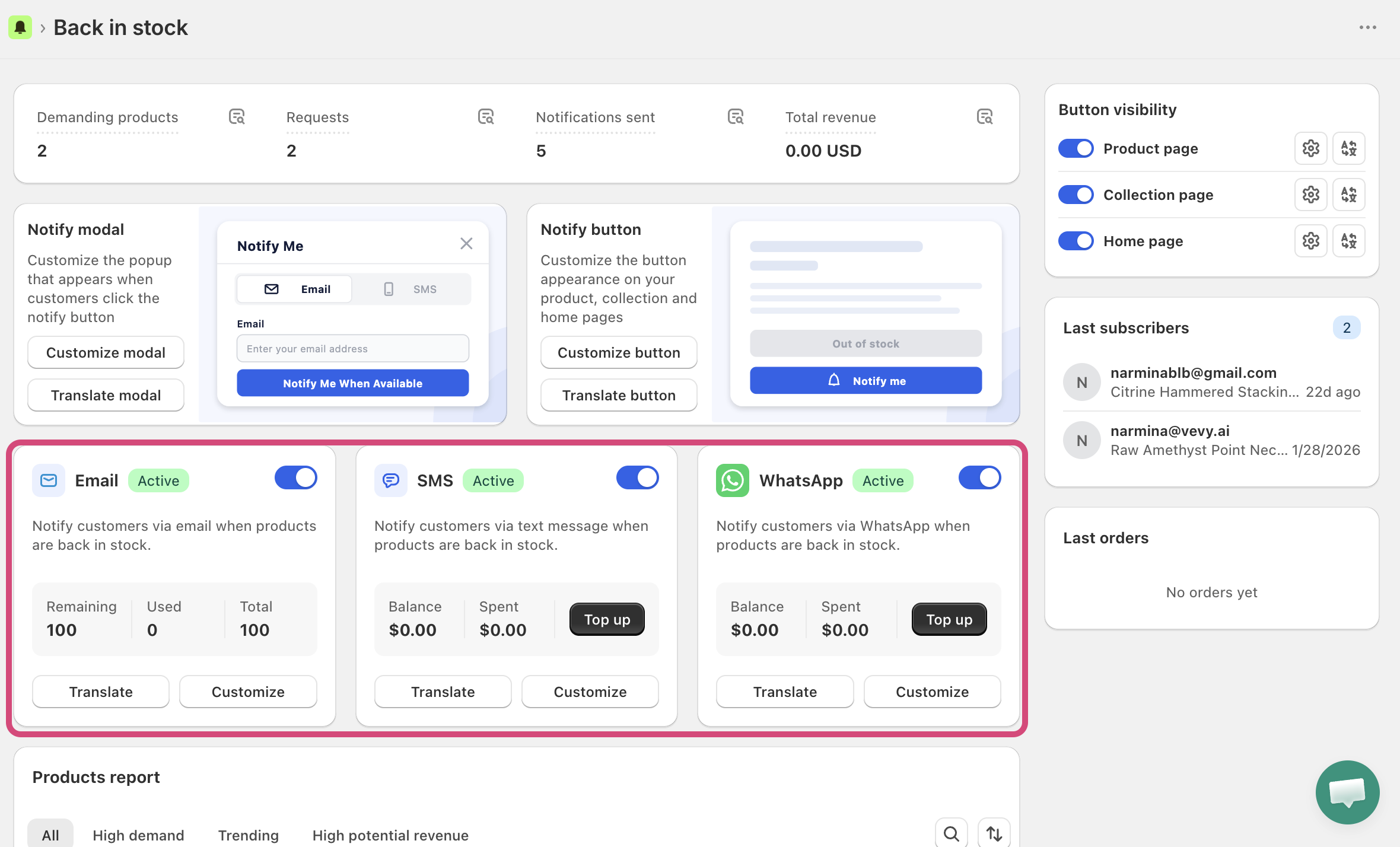
No extra setup needed. SMS notifications appear alongside the existing email option on your storefront widget.
🛒 Pre-order — now available
Stop losing sales when products run out. Pre-order lets customers place an order before the item is available, so demand is captured instead of lost.
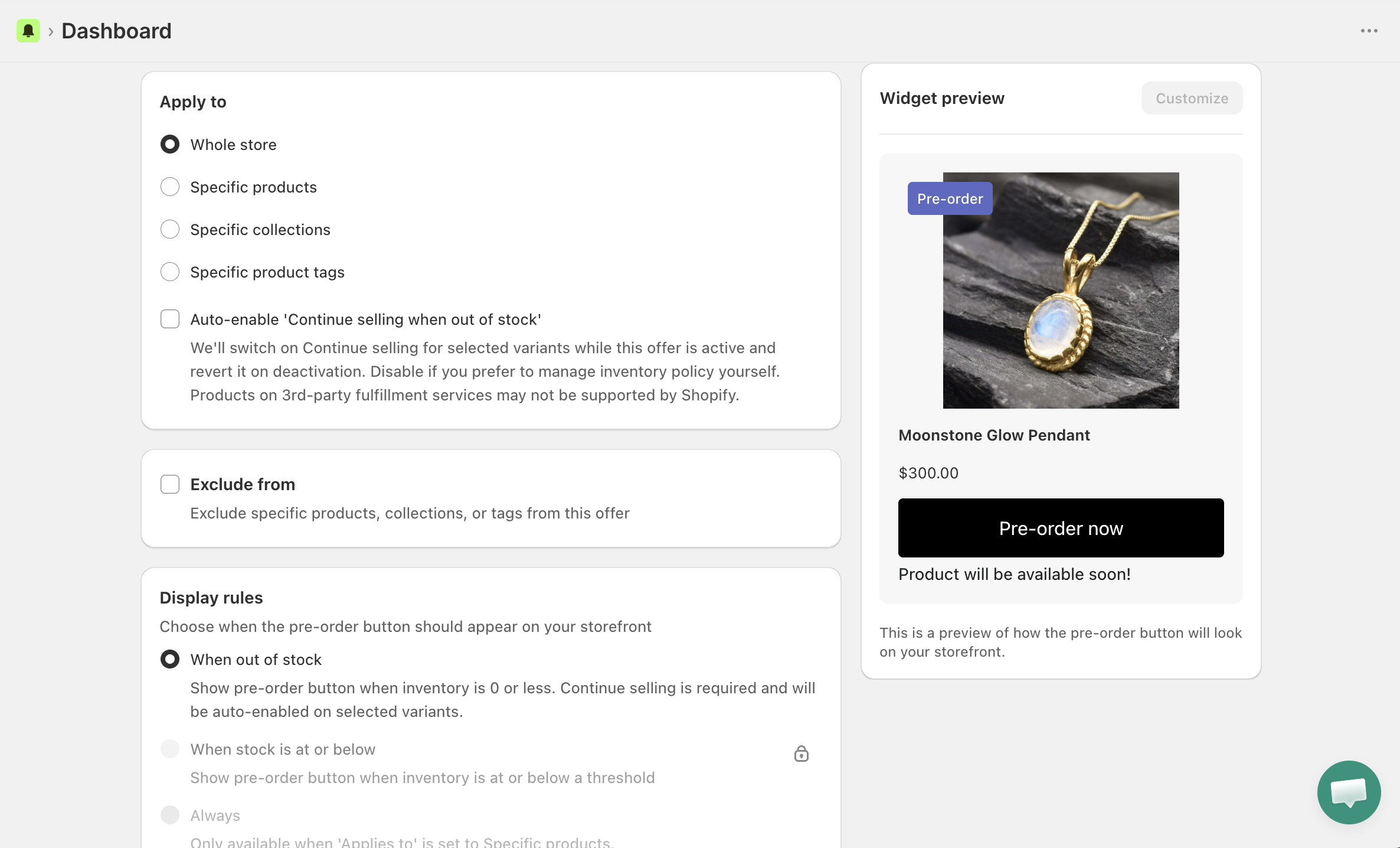
How it works
Replace the Add to Cart button with a Pre-order now button on out-of-stock products. Customers go through a confirmation modal that shows payment terms and total before committing.
What you can configure
Apply to — whole store, specific products, collections, or product tags
Display rules — show the button only when out of stock, at or below a threshold, or always (for specific products)
Estimated ship date — set a specific date or a custom message like "Mid-June" or "2–3 weeks"
Delivery fulfillment trigger — fulfill immediately, split mixed orders, hold on-hold, or schedule fulfillment for an exact date
Markets — all markets or specific ones
Active dates — set a launch time and optional end date
Quantity limits — cap max per order, max per customer, and total pre-orders accepted
Payment type — full payment at checkout, or partial deposit (paid plan)
Inventory reserve — deduct inventory on fulfillment or on sale
Order & customer tags — tag pre-order orders and customers automatically in Shopify
Preorder note — attach a label/value pair to cart line items for clean order management
🗂️ New dashboard
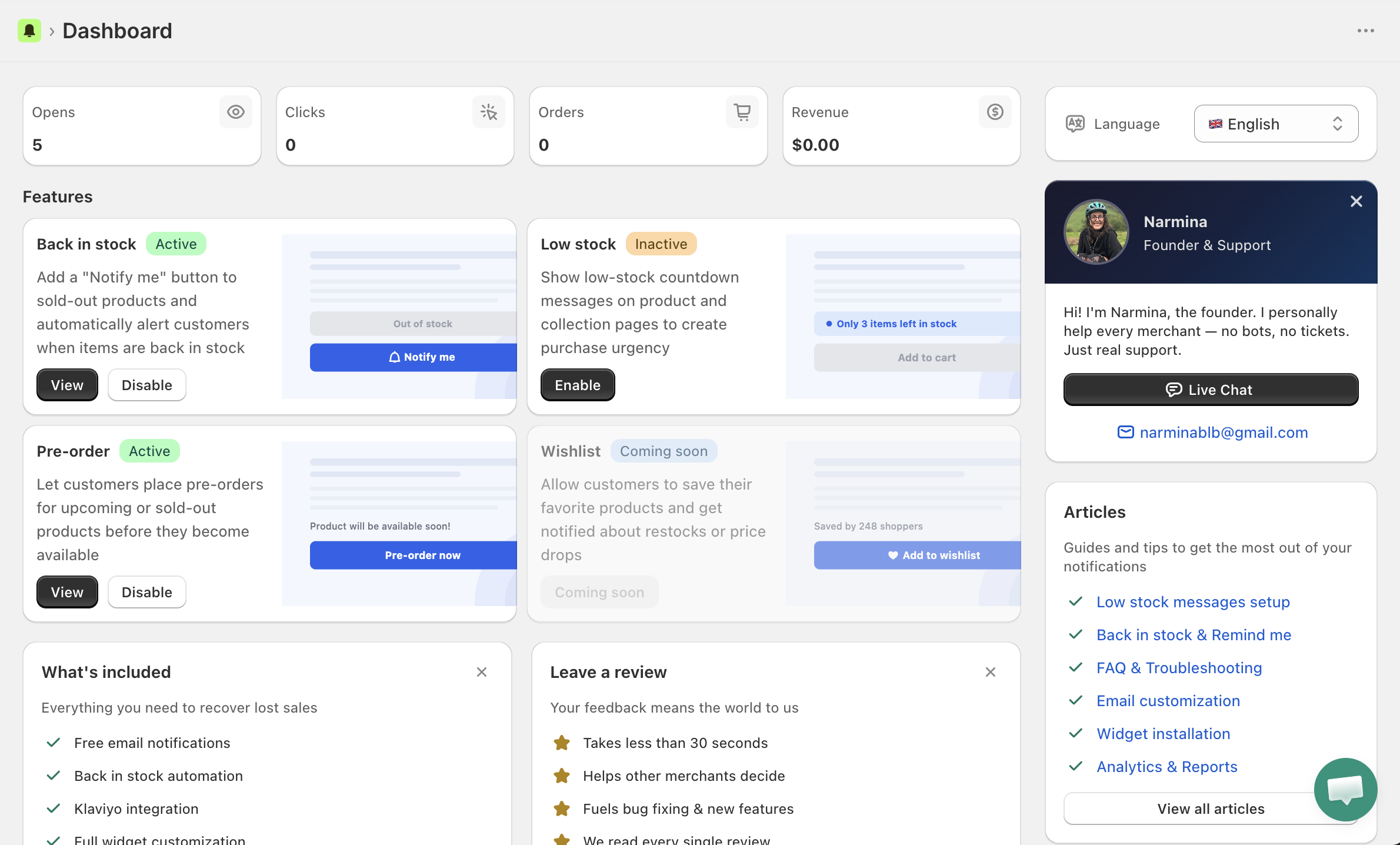
Features are now organized in one place — Back in Stock, Low Stock, Pre-order, and the upcoming Wishlist. Enable, disable, and navigate to each from a single screen.
March 16
WhatsApp back-in-stock alerts
Your shoppers can now choose to be notified via WhatsApp when an out-of-stock product is available again — alongside the existing email and SMS options.
Paid feature: WhatsApp notifications are usage-based and available in the paid plan. You need to add balance before messages can be sent.
⚠️ No messages will be sent until you add WhatsApp balance. You can do this from the Channels tab under the WhatsApp section.
Check out the charges for WhatsApp alerts.
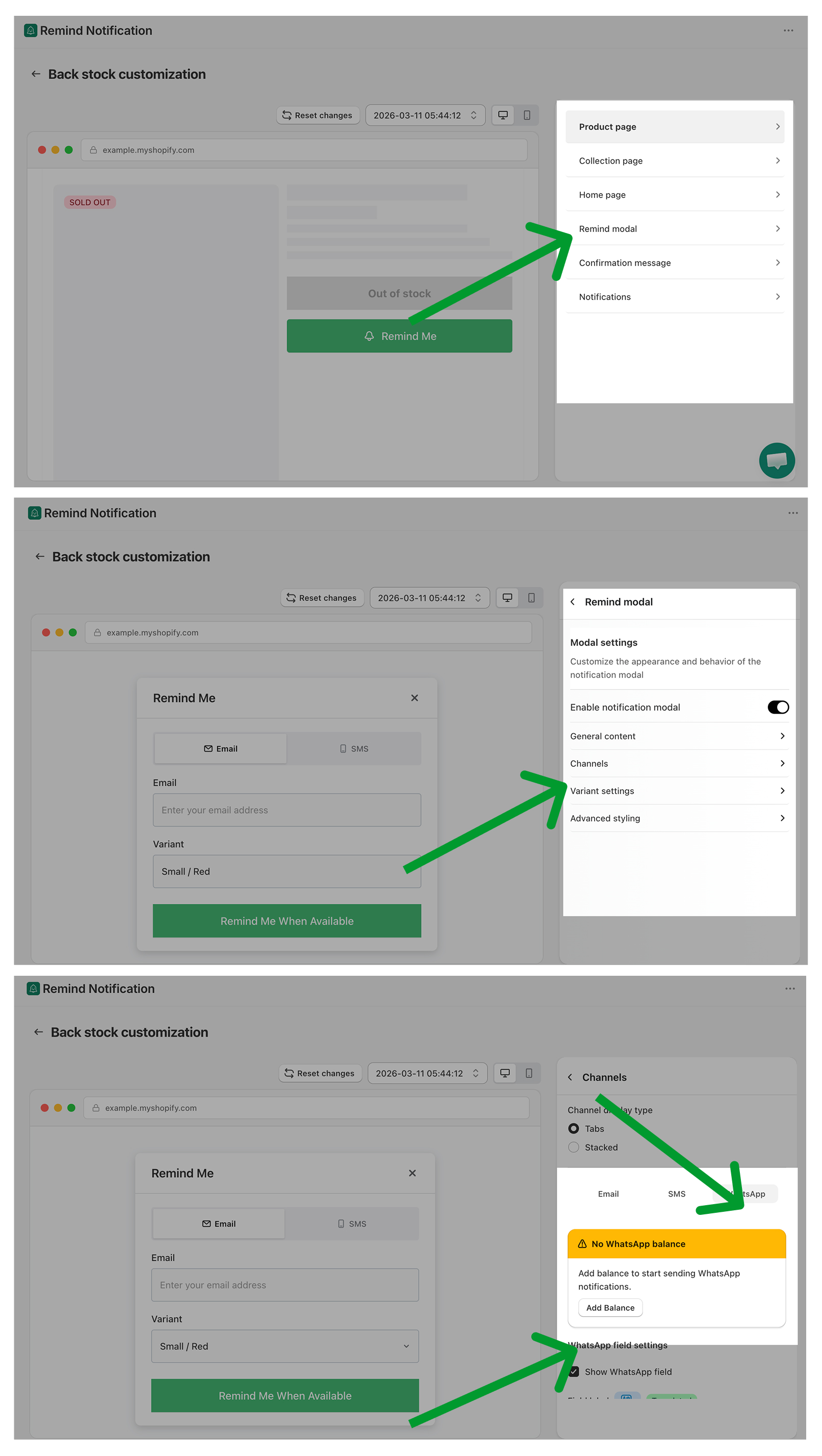
How to enable and top up your WhatsApp balance:
Go to your Remind modal settings and open the Channels tab. Select WhatsApp to configure it.
App → Back in stock → Customization → Remind modal → Channels → WhatsApp