
You can decide where to show the notify me widget on your shopify store:
On single product pages
On whole collection page
On home page
1. On single product pages
To enable or disable the notify me widget for single product pages, follow these steps:
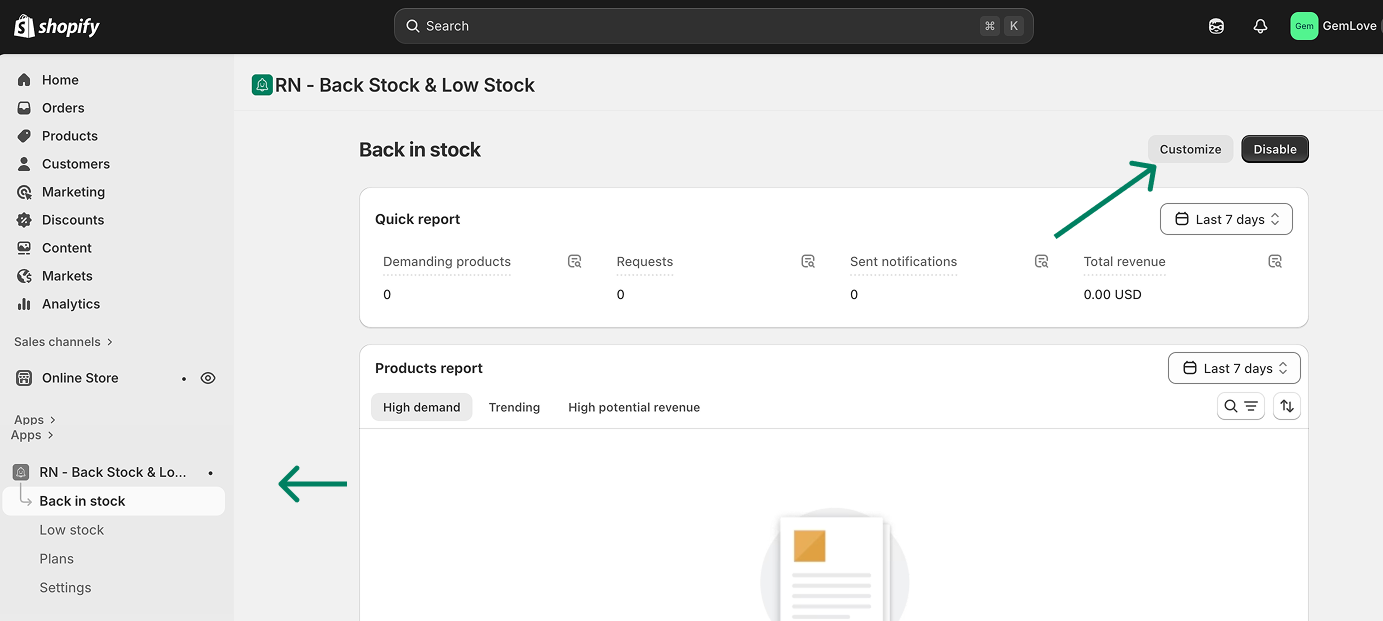
On your Shopify admin, navigate to RN - Back Stock & Low Stock app
Click Back in stock feature → Customize button
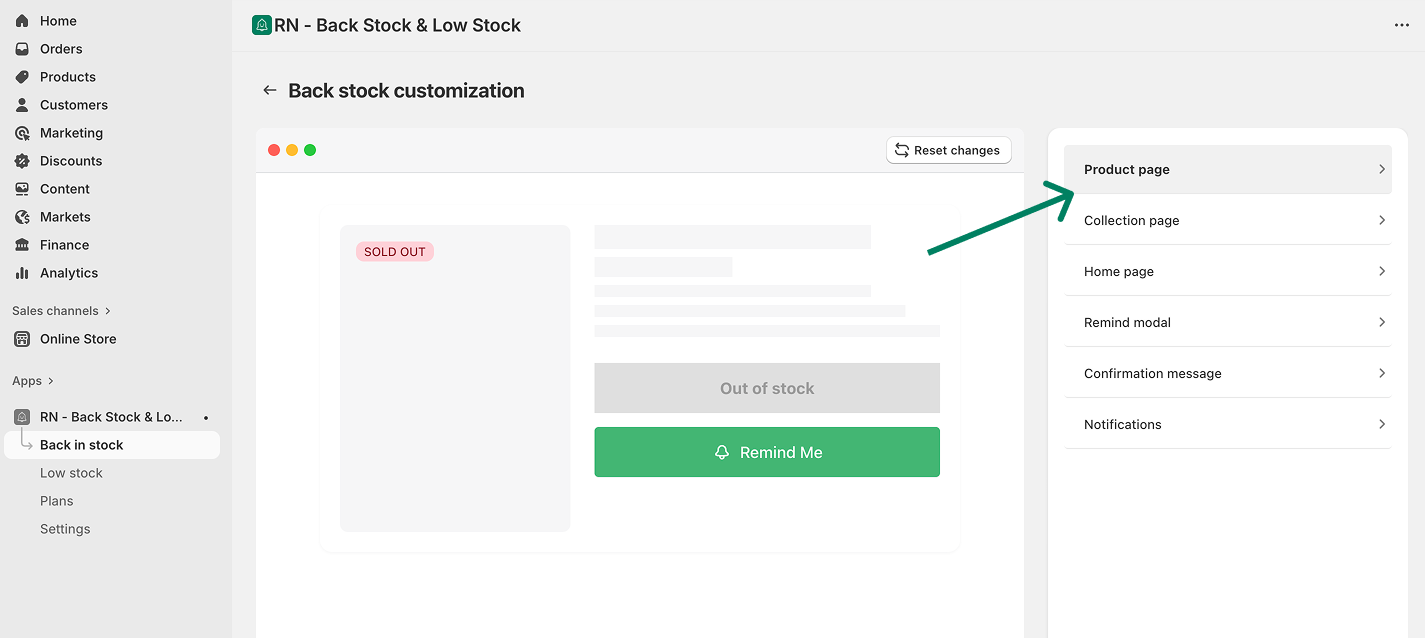
Select the Product page
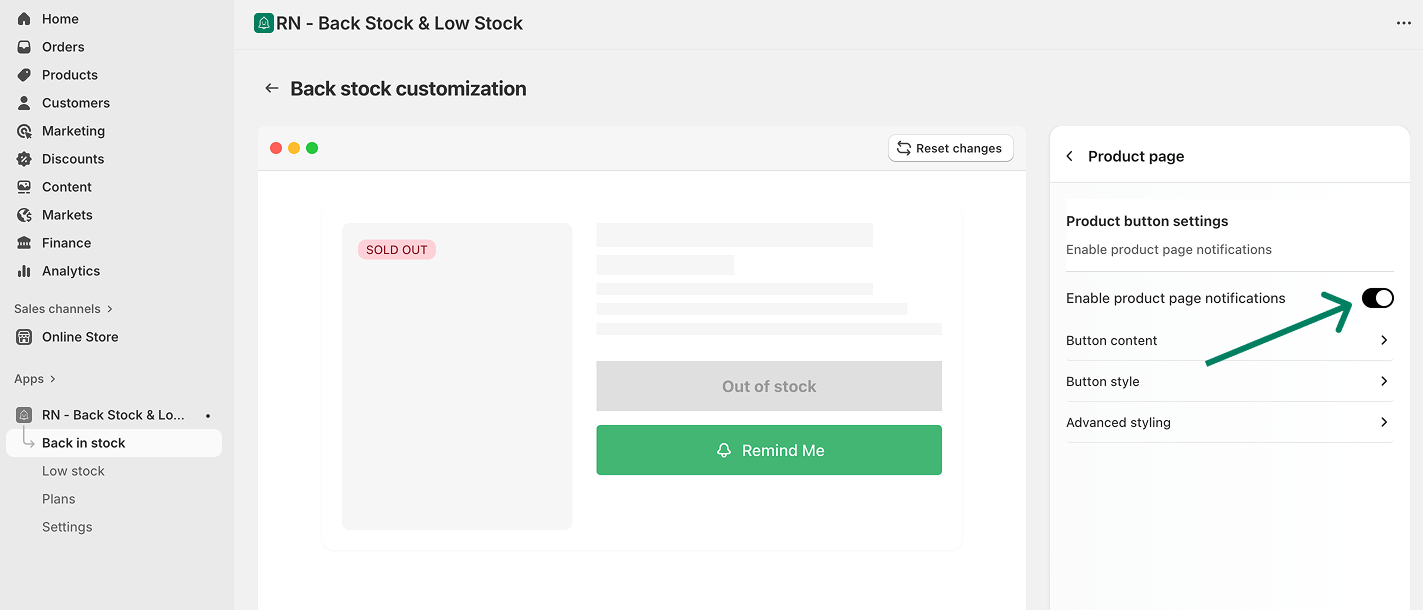
Turn on or off the toggle
2. On collections page
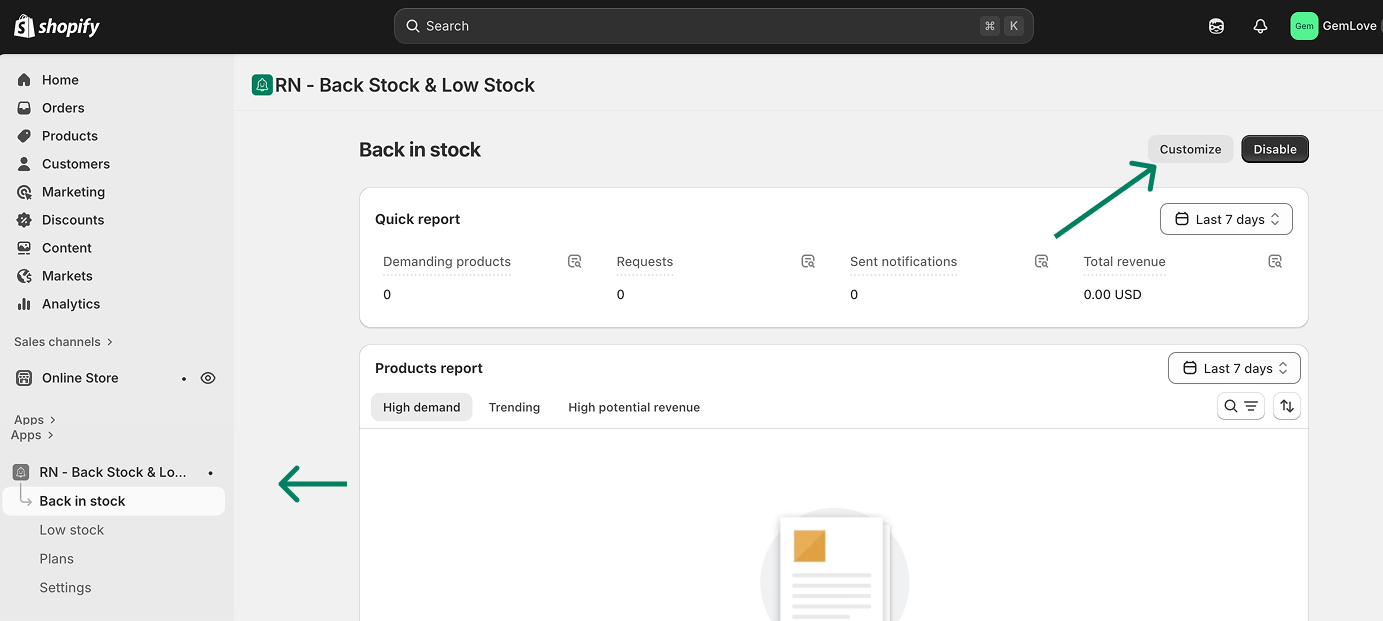
On your Shopify admin, navigate to RN - Back Stock & Low Stock app
Click Back in stock feature → Customize button
Select the Collection page
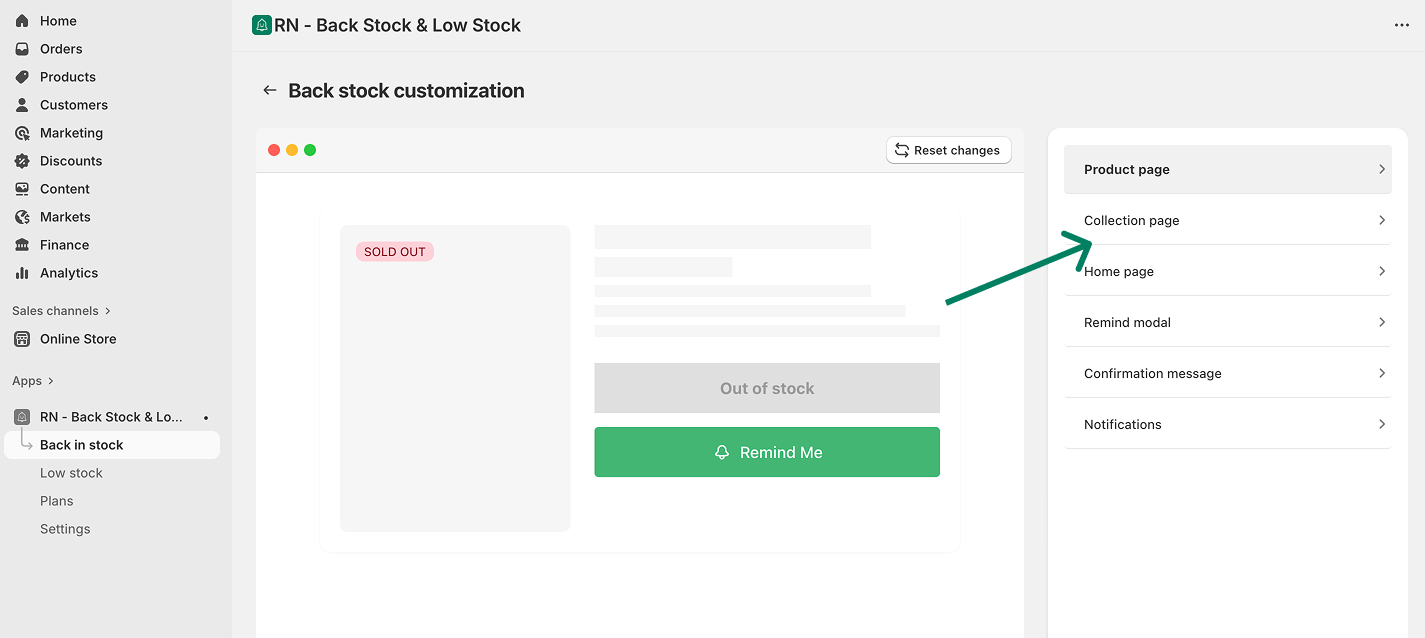
Turn on or off the toggle
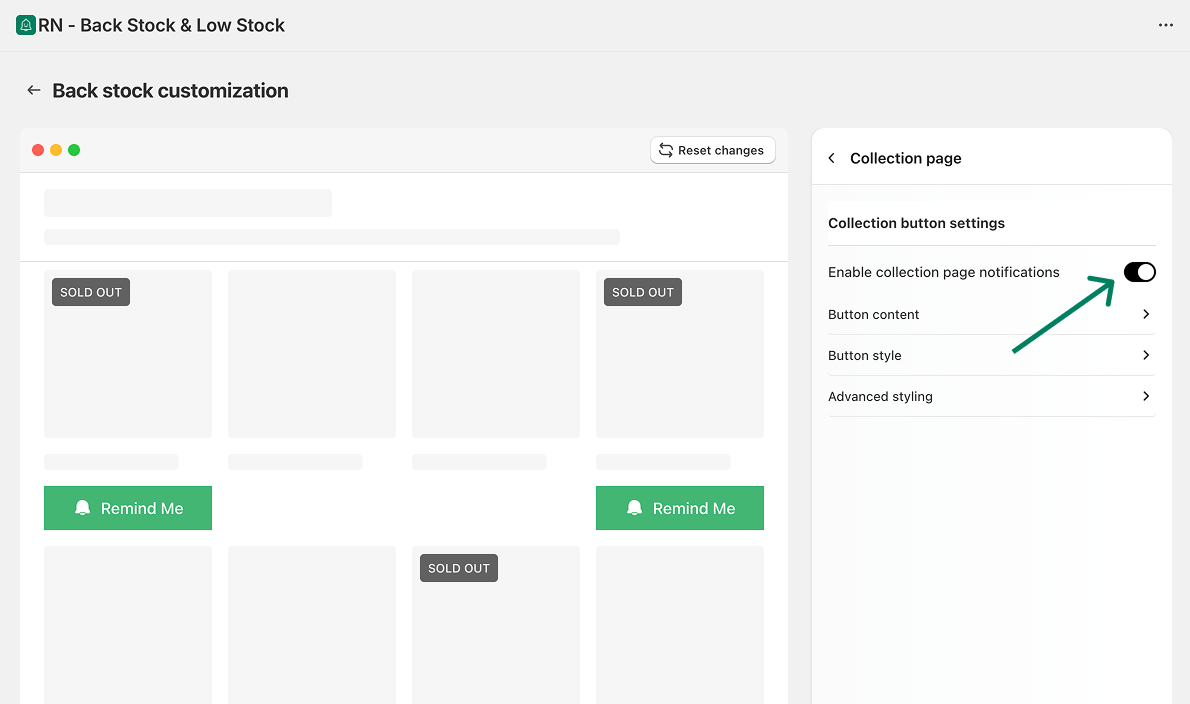
When enabled, the button will appear on sold-out products displayed in your collections pages.
3. On homepage
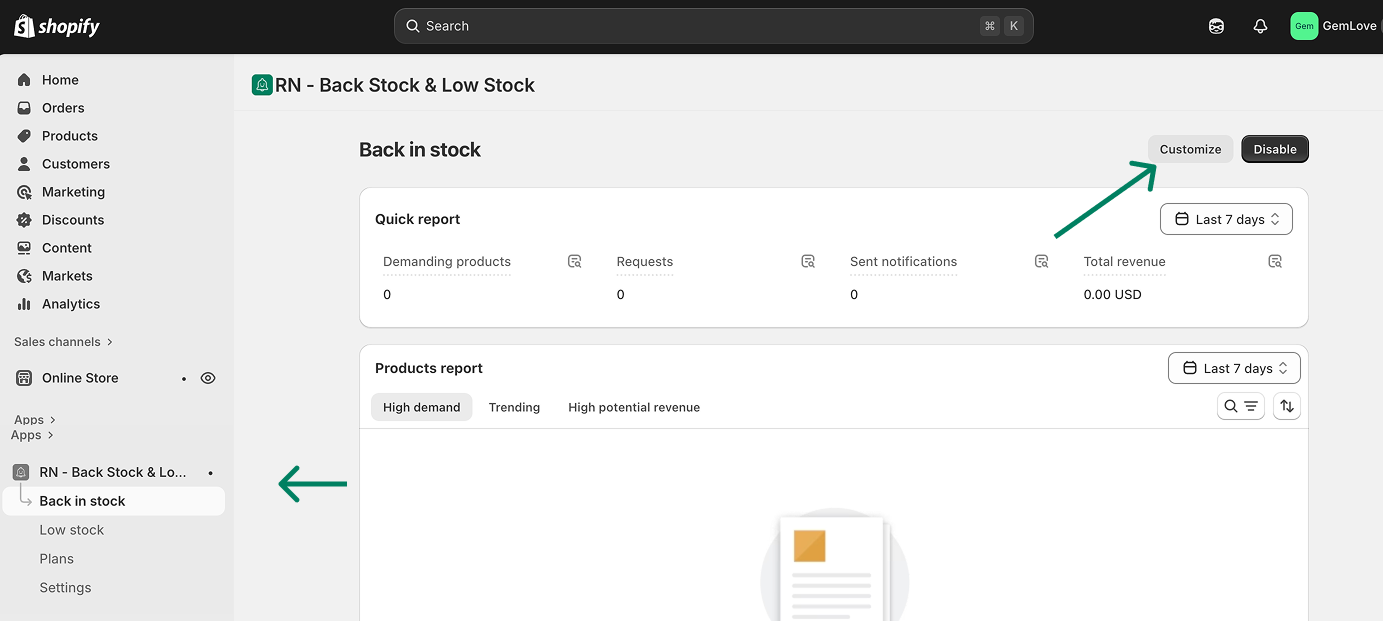
On your Shopify admin, navigate to RN - Back Stock & Low Stock app
Click Back in stock feature → Customize button
Select the Home page
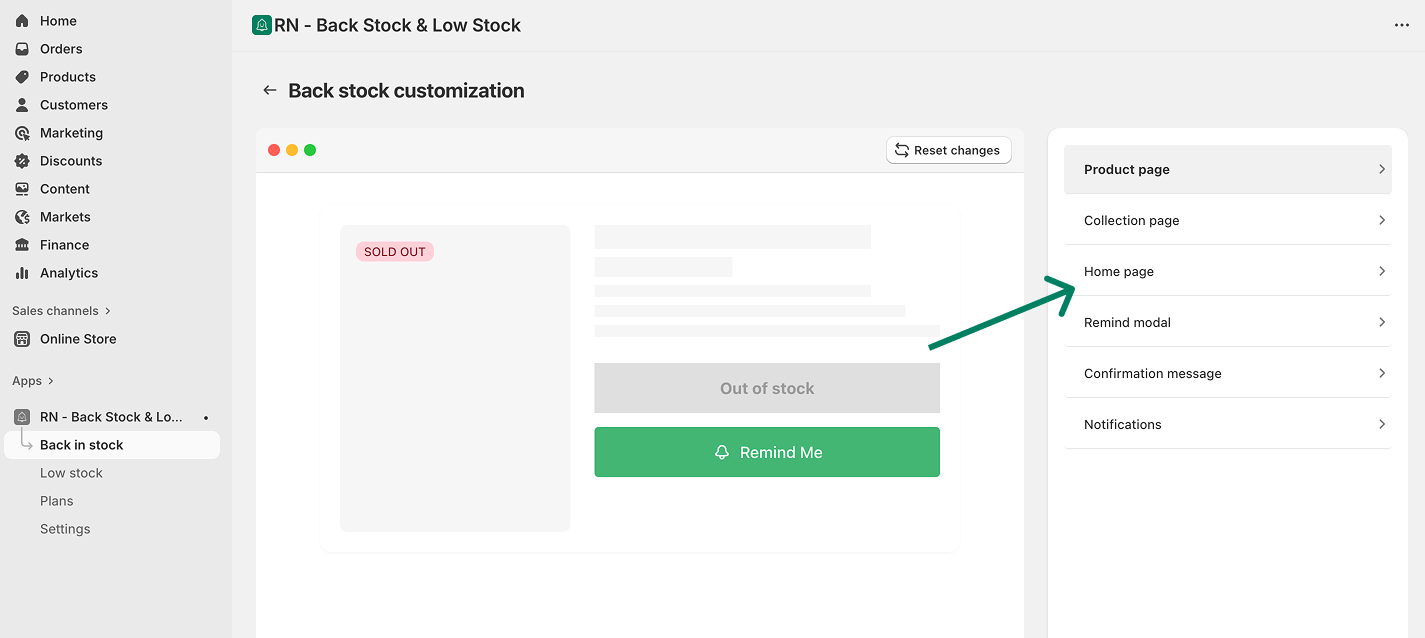
Turn on or off the toggle
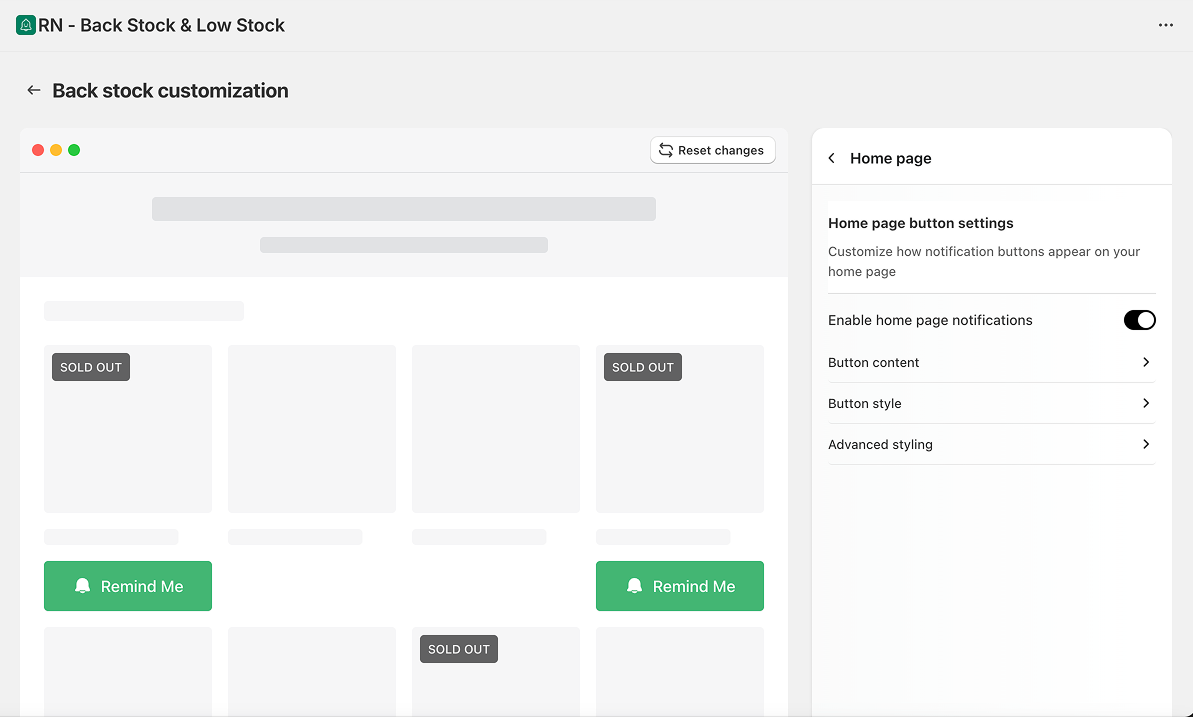
When enabled, the button will appear on sold-out products displayed in your homepage sections.