
The Out of Stock Again email is sent when a product a shopper subscribed to becomes unavailable again before they buy it. You can customize this email inside the app, including its content, design, and basic behavior.
Enable or Disable the Email
Use the toggle to turn the Out of Stock Again email on or off.
Enabled: Customers will receive this email if the product goes out of stock again.
Disabled: Customers will not receive this update, even if they subscribed.
Enable or Disable the ‘Out of Stock Again’ Email
To manage the Thank You email:
Open the app.
Go to Back in stock → Customize → Notifications → Out of Stock Again.
Use the checkbox to enable or disable the 'Out of Stock Again' email.
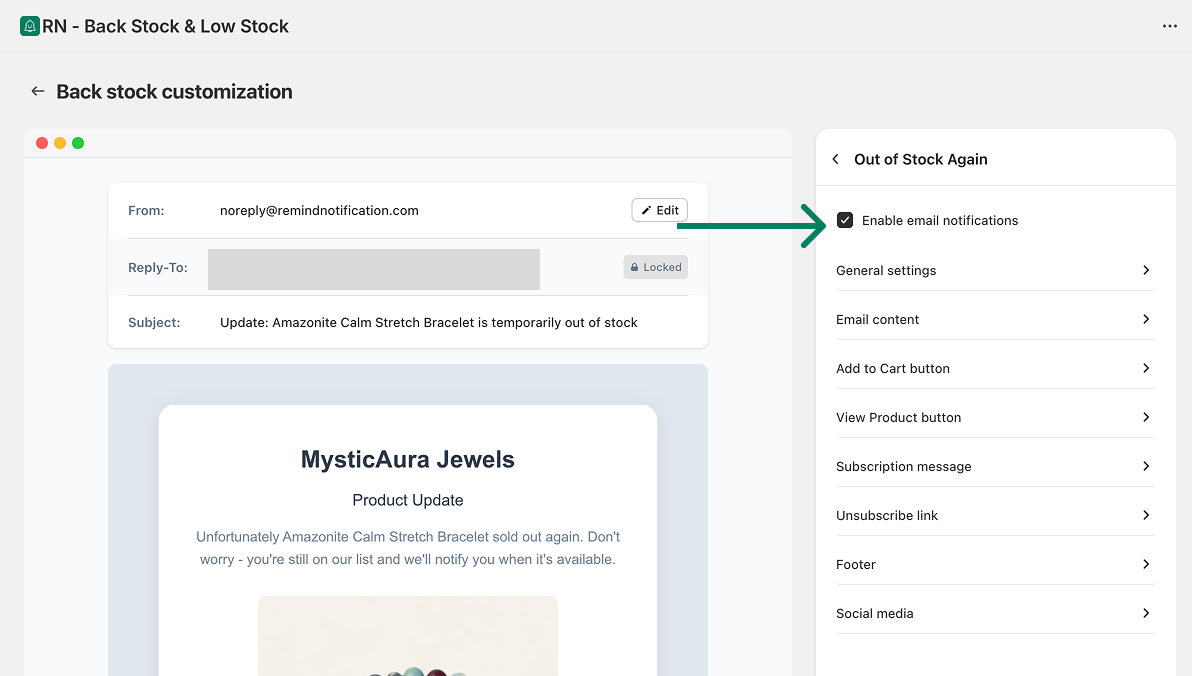
Enabled: Customers will receive this email if the product goes out of stock again.
Disabled: Customers will not receive this update, even if they subscribed.